<img src="https://certify.alexametrics.com/atrk.gif?account=knr3r1xk/v20jL" style="display:none" height="1" width="1" alt="">
Skip to content
Automate Ecommerce & Marketplace Order Operations


Dynamics 365 Ecommerce Integration

Send Shopify, WooCommerce, and Amazon or any other ecommerce orders into Dynamics 365 as clean, ERP-ready transactions. OrderEase validates order data before it hits your ERP, so your team spends less time fixing errors, chasing inventory mismatches, and cleaning up downstream issues.


OrderEase Logo

Purpose-built for Ecommerce Order Operations

Validate orders before ERP entry

Keep Inventory & Fulfillment Aligned

Reduce Manual Cleanup

Preconfigured Connector

Integrate Dynamics 365 and Ecommerce Without Middleware

Most teams start with a direct connector to move orders and inventory between ecommerce and Dynamics 365. This works until you add more stores, warehouses, B2B pricing rules, marketplaces, EDI, returns, or order edits. OrderEase sits between your channels and Dynamics 365 to standardize, validate, and route each order before it becomes an ERP transaction, keeping your ERP clean and stable.
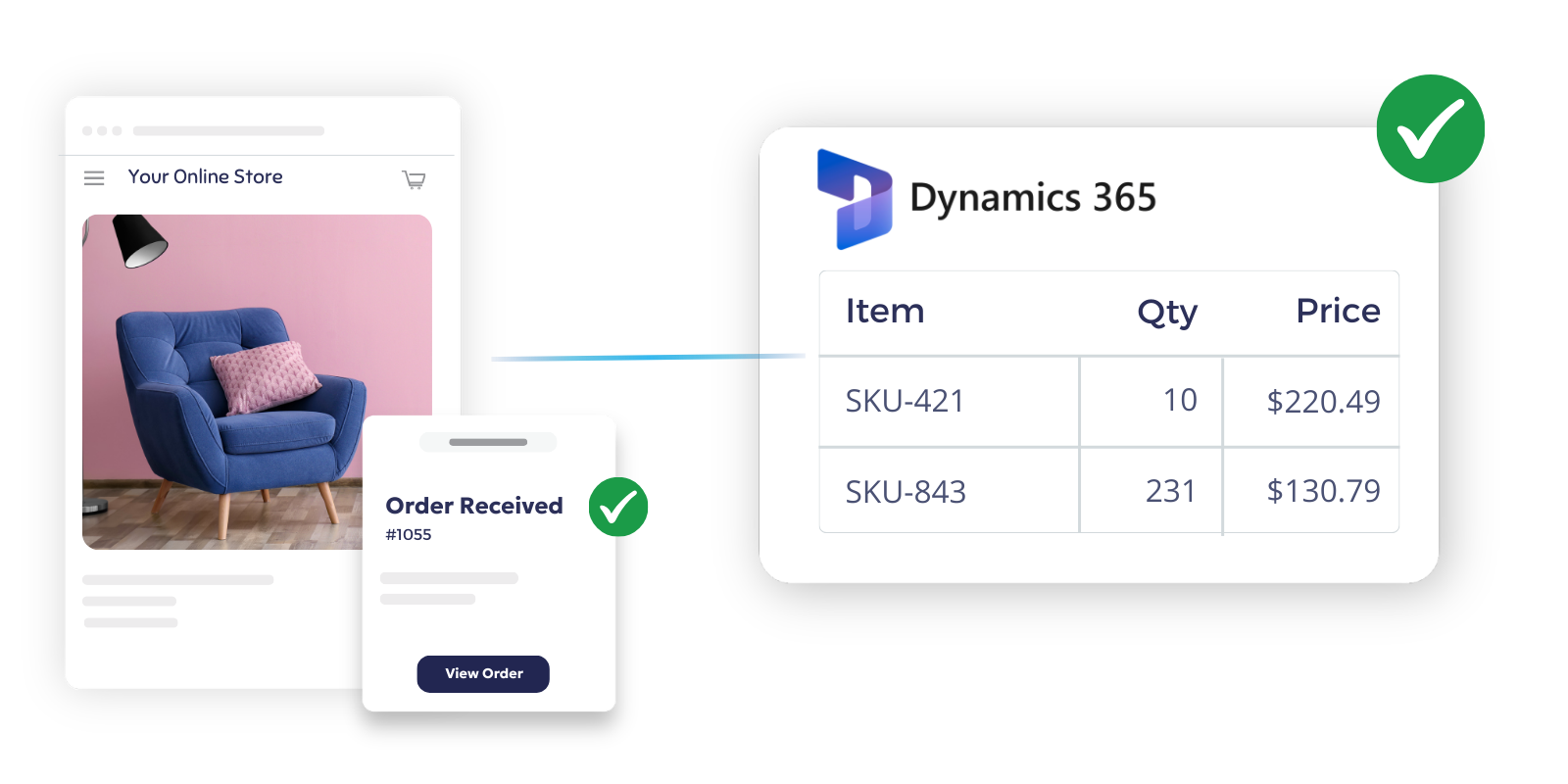
ecommerce orders connected to Dynamics 365 without middleware tools


Connect channels your team already runs

Shopify integration with Dynamics 365

Pull Shopify orders into a structured workflow before they reach Dynamics 365. Validate product, pricing, customer, and fulfillment data upstream so Business Central receives cleaner transactions.

WooCommerce integration with Dynamics 365

Sync WooCommerce orders, inventory, and fulfillment updates into a controlled workflow. Reduce manual rekeying and give your ERP cleaner, more consistent input.

Amazon integration with Dynamics 365

Route Amazon orders into the same order pipeline you use for your other channels. Keep inventory, shipping updates, and order flow aligned without creating a separate process for marketplace volume.

All Your Order Channels, One Workflow

Also supports marketplaces, EDI, B2B portals, and Email PDF  through one upstream order workflow.


NetSuite logo, OrderEase Order Automation
Shopify - Horizontal Logo Resize
Walmart Marketplace (1)
UPS Logo - Horizontal
Rona Logo
QuickBooks logo
Williams Sonoma-1-1
Costco logo
Best Buy Logo-1
Lowes Logo 500 x 150
Ace_Hardware_Logo
SAGE 50 Logo
Shipwise logo
Kerridge  500x150
TractorSupplyCompanylogo
NetSuite logo, OrderEase Order Automation
Shopify - Horizontal Logo Resize
Walmart Marketplace (1)
UPS Logo - Horizontal
Rona Logo
QuickBooks logo
Williams Sonoma-1-1
Costco logo
Best Buy Logo-1
Lowes Logo 500 x 150
Ace_Hardware_Logo
SAGE 50 Logo
Shipwise logo
Kerridge  500x150
TractorSupplyCompanylogo
NetSuite logo, OrderEase Order Automation
Shopify - Horizontal Logo Resize
Walmart Marketplace (1)
UPS Logo - Horizontal
Rona Logo
QuickBooks logo
Williams Sonoma-1-1
Costco logo
Best Buy Logo-1
Lowes Logo 500 x 150
Ace_Hardware_Logo
SAGE 50 Logo
Shipwise logo
Kerridge  500x150
TractorSupplyCompanylogo
NetSuite logo, OrderEase Order Automation
Shopify - Horizontal Logo Resize
Walmart Marketplace (1)
UPS Logo - Horizontal
Rona Logo
QuickBooks logo
Williams Sonoma-1-1
Costco logo
Best Buy Logo-1
Lowes Logo 500 x 150
Ace_Hardware_Logo
SAGE 50 Logo
Shipwise logo
Kerridge  500x150
TractorSupplyCompanylogo
NetSuite logo, OrderEase Order Automation
Shopify - Horizontal Logo Resize
Walmart Marketplace (1)
UPS Logo - Horizontal
Rona Logo
QuickBooks logo
Williams Sonoma-1-1
Costco logo
Best Buy Logo-1
Lowes Logo 500 x 150
Ace_Hardware_Logo
SAGE 50 Logo
Shipwise logo
Kerridge  500x150
TractorSupplyCompanylogo

How It Works

How Dynamics 365 ecommerce integration should work

Step 1 | Capture orders from every channel

Bring Shopify, WooCommerce, Amazon, and other channels into one order intake flow.

Step 2 | Validate and standardize before ERP entry

Validate customer, product, pricing, shipping, and rules before sending orders to your ERP.

Step 3 | Send clean transactions into D365

Push structured, ERP-ready orders into Dynamics 365 and keep downstream inventory and fulfillment data aligned.

Automate Order to Cash Between Your Ecommerce and Dynamics 365

Dynamics 365 ecommerce integration OrderEase | Dynamics 365 Integration
Sync Customers Between Ecommerce and Dynamics 365
Customer & Account Mapping
Dynamics 365 ecommerce integration OrderEase | Dynamics 365 Integration
Sync Orders Between Ecommerce and Dynamics 365
Orders & Line-item Detail
Dynamics 365 ecommerce integration OrderEase | Dynamics 365 Integration
Sync Fulfillment & Shipping Between Ecommerce and Dynamics 365
Fulfillment Status & Updates
Dynamics 365 ecommerce integration OrderEase | Dynamics 365 Integration
Sync Inventory Between Ecommerce and Dynamics 365
Inventory & Availability Updates
Dynamics 365 ecommerce integration OrderEase | Dynamics 365 Integration
Sync Order Cancellations Between Ecommerce and Dynamics 365
Returns, Cancellations & Exception Handling

Business Impact

Benefits of Dynamics 365 Ecommerce Integration with OrderEase

Protect ERP stability while scaling ecommerce volume and complexity.

Reduce Manual Order Entry and Rework

Automate order intake to stop re-keying, chasing missing fields, and fixing preventable errors.

Prevent Overselling and Stockouts

Improve customer experience and fulfillment execution with reliable inventory sync and location-aware fulfillment logic.

Protect Data Integrity Across Systems

Order data is cleaned and standardized before it enters Dynamics 365, preventing SKU errors, price mismatches, and reporting delays.

Accelerate Fulfillment 

Automated shipment updates for fewer support inquiries and stronger marketplace performance metrics.

Gain Full Operational Visibility

Track sync activity and transactional logs so you can spot and fix ecommerce issues before they affect customers or revenue.

Scale Marketplace Sales

Automation absorbs the complexity, allowing you to expand across marketplaces and regions without increasing back-office overhead.


Frequently Asked Questions About Dynamics 365 Ecommerce Integration

Which Dynamics 365 products does OrderEase support for ecommerce integration?

OrderEase is built to orchestrate orders into Dynamics 365 ERP environments, including Dynamics 365 Business Central.

Dynamics 365 Commerce is Microsoft’s native storefront solution with its own online store channels and site configuration. “Commerce integration” often means configuring channels/sites, not connecting Shopify or WooCommerce.

Does OrderEase support multi-store and multi-warehouse operations?

Yes. OrderEase is designed for multi-store, multi-location environments where orders and inventory must stay consistent across channels and fulfillment points.

What data synchronizes in a Dynamics 365 ecommerce integration?

Most ERP-driven ecommerce integrations coordinate a common set of flows: products/catalog, inventory levels, customers/companies, order creation, and fulfillment/tracking, plus returns/refunds/cancellations in mature implementations.

Can OrderEase support B2B pricing, purchase orders, and EDI alongside ecommerce?

Yes. OrderEase is designed for B2B order complexity and can unify ecommerce and EDI order flows so wholesale and ecommerce orders follow one standardized path to the ERP.

See how OrderEase helps teams route ecommerce orders into Dynamics 365

Let's Discuss Your Integration Needs