OrderEase helps Sage 100 teams capture, validate, and structure incoming orders before they reach the ERP, so sales orders post more cleanly and operations spend less time fixing bad data.


.png?width=300&name=Walmart%20Marketplace%20(1).png)


.png?width=300&name=Walmart%20Marketplace%20(1).png)


.png?width=300&name=Walmart%20Marketplace%20(1).png)


.png?width=300&name=Walmart%20Marketplace%20(1).png)


.png?width=300&name=Walmart%20Marketplace%20(1).png)


How OrderEase Works with Sage 100
OrderEase helps manage how incoming orders are prepared before they are entered into Sage 100. Orders are captured from connected sources, checked against business rules, and structured to match your Sage 100 environment before they are created in ERP.
Instead of pushing raw order data into Sage 100, OrderEase standardizes what comes in first. SKUs, pack sizes, pricing, units, and customer-specific requirements are aligned before import so Sage 100 receives cleaner transactions ready to post. This keeps Sage 100 focused on ERP processing while OrderEase handles order validation, mapping, and issue resolution before posting.

|
Preconfigured IntegrationsThis is not a build-your-own Sage 100 connection. OrderEase delivers prebuilt, maintained integrations with standardized workflows out of the box. |
Who This Integration Is For
This Sage 100 integration is built for teams managing orders across several channels where order structure, pricing rules, and customer requirements vary by source. OrderEase handles that complexity before ERP entry so Sage 100 can remain reliable as the system of record.
It is a strong fit for manufacturers, distributors, wholesalers, and suppliers that need cleaner order entry into Sage 100 without forcing ERP users to resolve every issue by hand.
Sage 100 ↔ OrderEase
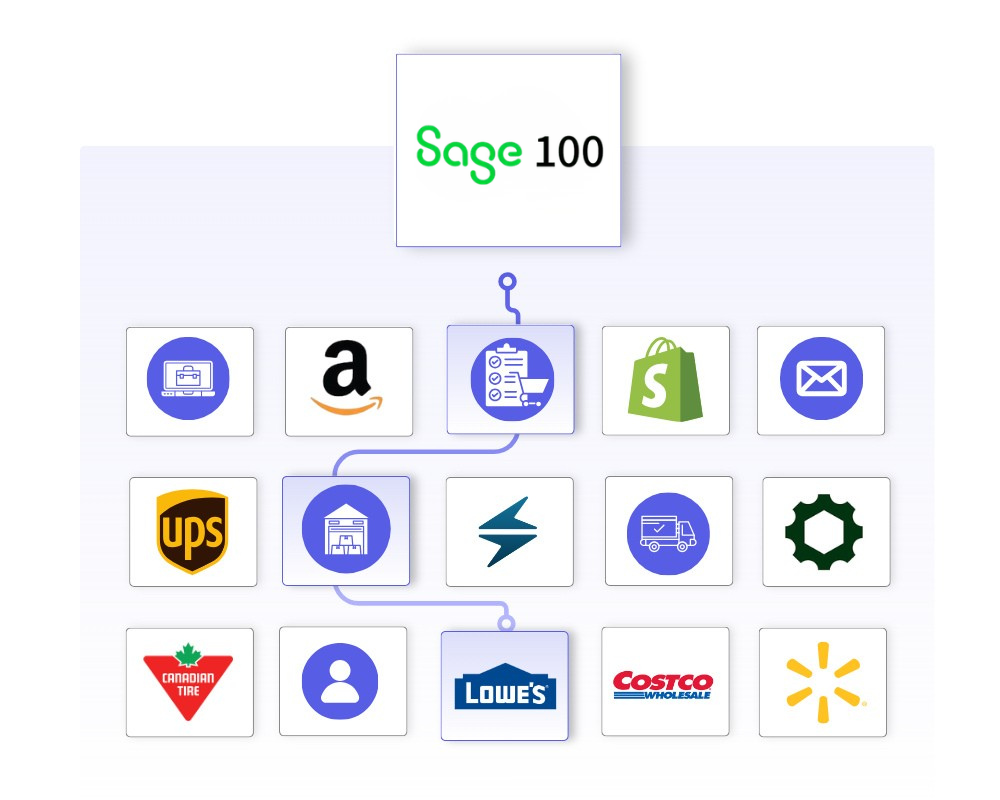
OrderEase sits between incoming order sources and Sage 100 so sales orders can be validated and prepared before posting.What This Means for Your Business
OrderEase improves how sales orders are created in Sage 100, which reduces manual work and makes higher order volume easier to manage.
Less Manual Order Entry
Teams spend less time rekeying orders from portals, inboxes, and partner systems before they reach Sage 100.
Better Order Data in Sage 100
Incoming orders are standardized before import so SKUs, pack sizes, pricing, and required fields are more consistent.
Faster Processing
Orders enter Sage 100 ready to post, helping operations teams process more volume without adding more admin work.
Fewer Errors and Disputes
Built-in rules catch issues before they hit Sage 100, reducing credits, chargebacks, and customer-facing order problems.
More Stable ERP Operations
Channel-specific issues are resolved before posting so Sage 100 does not become the place where every order problem is fixed manually.
Less Manual Cleanup
Order validation and mapping happen before ERP entry, reducing the amount of correction work required from internal teams.
Featured Sage Integrations
Discover More IntegrationsExplore our full integration marketplace and see how OrderEase connects your ERP to the channels, marketplaces, and systems you rely on. |
Common Sage 100 Order Management Use Cases
OrderEase supports Sage 100 order operations with preconfigured integration logic.
Order Intake and Standardization
Give reps a structured way to submit orders through OrderEase instead of relying on manual entry into Sage 100. The integration objective explicitly includes reducing manual order entry by sales reps.
Orders Into QuickBooks Desktop
Move approved orders from OrderEase into Sage 100 as sales orders or invoices based on the workflow your team already uses.
Customer-Specific Pricing and Catalogs
Support B2B buying logic with customer groups, pricing levels, catalog visibility, and minimum order settings that are managed around the order workflow rather than forced into a generic model.
Multi-Location Inventory Visibility
Use inventory sync and inventory site configuration to support businesses that need better visibility into stock across locations while keeping Sage 100 as the core inventory record.
Configured NetSuite Sync Settings
Control how and when orders flow into Sage 100 once they are ready for ERP entry.
Push Sage 100 on Status
Choose the order status that triggers the push into Sage 100 so teams can review or action an order before it is posted.
Default Order Number
Use an OrderEase order number on push when a unique sales order number is needed to avoid duplicates.
Remove Zero Qty
Exclude zero-quantity lines before the order is pushed into Sage 100.
Control which customer records are synchronized and how customer data aligns with Sage 100.
Sync active/inactive customers
Choose which customer records should be actively included in the integration.
Customer Mapping
Align incoming customer data to the customer structure used in Sage 100.
Custom Fields
Map additional customer-related fields where needed for Sage 100 order entry.
Define how product data is matched so item records stay aligned with Sage 100.
SKU Mapping
Match incoming SKUs to Sage 100 item records before order creation.
Pack Size and Unit Alignment
Align units of measure and pack-size logic to the structure used in Sage 100.
Product Attributes
Map product-related fields needed to keep order lines consistent before posting.
Pass shipping information in a format that supports downstream processing connected to Sage 100.
Override Default Shipping
Use configured shipping defaults when order data needs to follow a specific shipping setup.
Shipping Field Mapping
Map shipping-related fields so orders carry the right delivery information into downstream processes.
Apply pricing rules before sales orders are created in Sage 100.
Use Sage 100 Pricing for Orders
Allow Sage 100 pricing to override incoming order pricing when ERP pricing should be the final source.
Customer-Specific Pricing
Apply account pricing and customer terms before the order is created in Sage 100.
Frequently Asked Questions About Sage 100 Integration
Yes. OrderEase captures incoming orders and sends structured sales order data into Sage 100 through a mapped integration process.
Yes. OrderEase can support EDI, ecommerce, wholesale orders, B2B portals, and emailed order sources.
Yes. OrderEase supports pricing rules, terms, discounts, and customer-specific buying requirements across different order sources.
Yes. OrderEase standardizes incoming order data so SKUs, units of measure, pack sizes, and related item details match Sage 100 more consistently.
No. Sage 100 remains the ERP and system of record. OrderEase manages incoming order intake before handoff.
It is a strong fit for manufacturers, distributors, wholesalers, and suppliers that need to manage multiple order sources with different requirements.


.png?width=250&name=OrderEase%20logo%2c%20Square%20(2).png)