


Connects your order channels to Logiwa fulfillment. Preconfigured, not coded.


.png?width=300&name=Walmart%20Marketplace%20(1).png)


.png?width=300&name=Walmart%20Marketplace%20(1).png)


.png?width=300&name=Walmart%20Marketplace%20(1).png)


.png?width=300&name=Walmart%20Marketplace%20(1).png)


.png?width=300&name=Walmart%20Marketplace%20(1).png)


How OrderEase Works with Logiwa
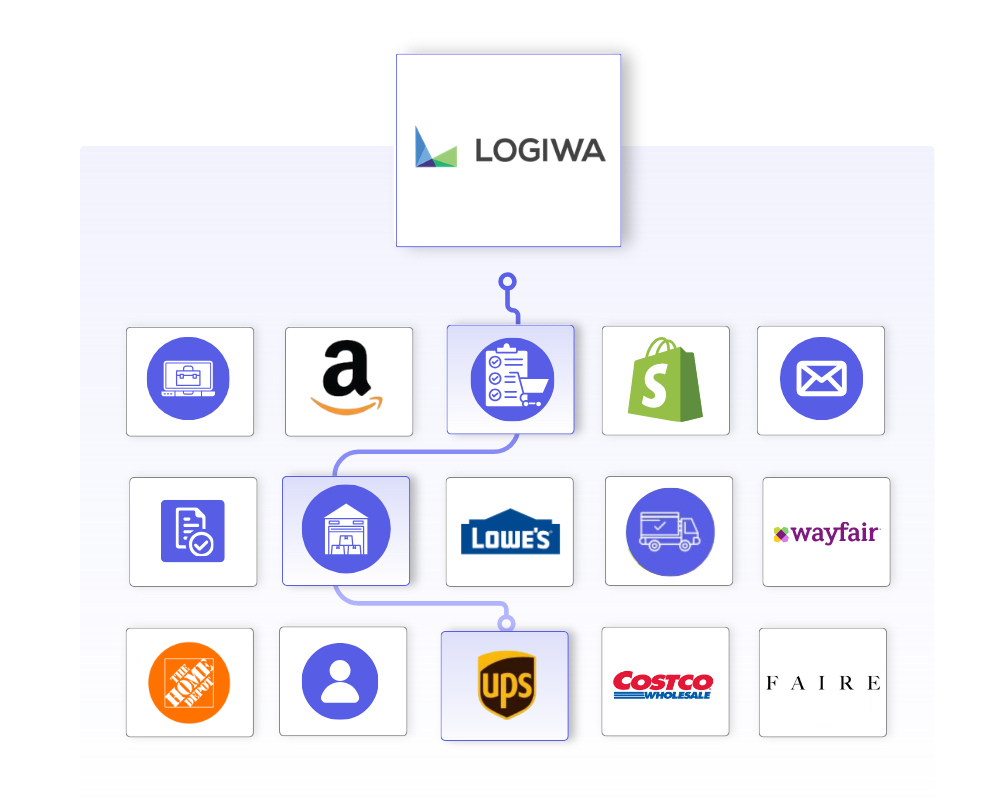
OrderEase captures orders from the channels you sell through, including EDI, ecommerce, wholesale, and emailed POs, and structures them before they reach the warehouse. When an order hits the status you choose, it pushes to Logiwa WMS as a shipment order with the buyer, delivery address, SKUs, quantities, and carrier already in place.
Once the warehouse ships, OrderEase pulls the confirmed shipment back with its tracking number, carrier, and ship date. The order record updates automatically, and tracking reaches your team and your buyers without anyone re-keying it.
Logiwa keeps running the warehouse. OrderEase feeds it clean orders and returns the results to the rest of your operation.

|
Preconfigured IntegrationsThis is not a build-your-own integration. OrderEase delivers a prebuilt, maintained Logiwa WMS connection with standardized order and shipment workflows out of the box. |
Who This Integration Is For
Teams that take orders across multiple B2B and ecommerce channels and fulfill through a warehouse or 3PL running Logiwa WMS. Your Logiwa workflows stay intact. OrderEase controls what reaches the warehouse and when, and brings tracking back to the systems your buyers actually check.
Logiwa ↔ OrderEase
What This Means for Your Business
OrderEase controls how orders reach Logiwa and how shipments come back, so fulfillment volume is easier to manage.
No re-keying into the warehouse
Orders arrive in Logiwa as structured shipment orders. Nobody types an order twice, and nobody transcribes an address wrong.
Split fulfillment without workarounds
Line item filtering sends only tagged lines to Logiwa. Orders that split between a 3PL and your own warehouse route themselves.
You control the release point
Orders push when they reach the status you pick. The warehouse only sees orders that are ready to fulfill.
Carrier names stay consistent
A carrier mapping table translates carrier names in both directions, so FedEx in OrderEase is FedEx in Logiwa and back again.
Tracking comes back on its own
OrderEase pulls confirmed shipments from Logiwa on a schedule and writes the tracking number, carrier, and ship date to the order.
No duplicate shipments
The shipment pull matches by order number and skips orders that already have a shipment, so a re-run does not double anything.
Featured Logiwa Integrations
Discover More IntegrationsExplore our full integration marketplace and see how OrderEase connects your ERP to the channels, marketplaces, and systems you rely on. |
Common Logiwa Order Management Use Cases
OrderEase supports Logiwa WMS without custom development.
3PL Fulfillment for B2B Orders
Wholesale, EDI, and ecommerce orders route to a 3PL running Logiwa automatically, formatted the way the warehouse expects them. This is WMS integration without an IT project on either side.
Split Fulfillment Across Warehouses
Tag the lines Logiwa should fulfill and OrderEase pushes only those. The rest stay with your own warehouse or another fulfillment path.
Tracking Visibility for Buyers
Tracking numbers and carriers flow back to the OrderEase order, so customer service answers "where's my order" from the order record instead of the warehouse portal.
Controlled Order Release
Hold orders until they're confirmed or invoiced, then release them to the warehouse in one motion. No premature picks, no chasing cancelled orders.
Configured Logiwa Sync Settings
Control how and when orders flow into Logiwa, and how they're routed inside the warehouse.
Push Orders on Status
Choose the order status that triggers the push: Submitted, Confirmed, Shipped, or Invoiced.
Company Name (Depositor)
Sets which Logiwa depositor receives your orders, so a 3PL fulfilling for multiple brands files yours correctly.
Default Warehouse
Selects the Logiwa warehouse orders route to, loaded directly from your Logiwa account.
Default Inventory Site
Sets the zone within the warehouse.
Line Item Filtering
Send only lines carrying a specific tag, for split fulfillment.
Carrier Mappings
Translate carrier names between OrderEase and Logiwa in both directions.
Turn each sync on independently, so you can test order push before enabling shipment pull.
Push Orders to Logiwa
Enable the order push, with a manual Sync Now for on-demand runs.
Pull Shipping Details from Logiwa
Enable the scheduled shipment and tracking pull.
Activate My Account
Master switch for the whole integration.
Every push and pull is logged, so you can see exactly which orders synced, when, and why any didn't.
Sync History
Each order push and shipment pull is recorded as it runs, including manual Sync Now runs.
Result Per Order
See which orders synced, which didn't, and why, before anyone opens a support ticket.
Retry State
Failed pushes and pulls show their retry status, so you can tell a delay from a dead end.
Frequently Asked Questions About Logiwa Integrations
OrderEase connects to the Logiwa API using your own Logiwa WMS credentials, stored encrypted. Orders push into Logiwa as shipment orders when they reach the status you configure, and confirmed shipments pull back on a schedule with tracking number, carrier, and ship date. Logiwa remains the warehouse management system of record.
You choose the trigger. Orders can push when they're submitted, confirmed, shipped, or invoiced in OrderEase, and a Sync Now button pushes on demand. The warehouse never picks an order your team hasn't approved.
No. This integration is focused on order fulfillment: sales orders out, shipments and tracking back. Inventory and product records are managed in their own systems, and OrderEase can source inventory from your ERP or other connected platforms.
Yes. Line item filtering pushes only the lines carrying a tag you define, which supports orders that split between a Logiwa-run warehouse and your own fulfillment.
OrderEase pulls confirmed shipments from Logiwa on a schedule, matches them to orders by order number, and creates the shipment with tracking and carrier attached. Orders that already have a shipment are skipped, so the pull does not create duplicates.
Yes. Logiwa is built for 3PLs and fulfillment centers, and the integration routes orders by depositor, warehouse, and inventory site. A 3PL fulfilling for multiple brands receives your orders filed under your account, and you keep 3PL order management visibility inside OrderEase.


.png?width=250&name=OrderEase%20logo%2c%20Square%20(2).png)