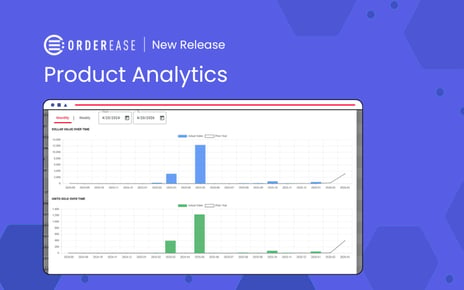
Visual graphs for order activity and product analytics are now available in the reporting section. From any product's detail page, an Analytics tab surfaces a sales velocity chart with current period vs. prior year comparison. The Order Activity Report now includes a graph view as well. Both are live and require no configuration to access.
Performance data on a product has always existed in OrderEase, it just required an export. The chart view puts the same information directly on the product page, in a format that is immediately readable, without downloading anything or opening a spreadsheet. For teams who need to talk about how a product is performing, the answer is now one click away.
The Problem That Made This Necessary
Product performance visibility in most OMS platforms requires leaving the platform. An export to Excel, a pull into a BI tool, a report run by someone who knows how to run reports. The data is there. The path to it is indirect. For operations and sales teams making day-to-day decisions about products, that indirectness creates a gap between the question and the answer.
The gap matters most in time-sensitive situations. A buyer asks how a product has been moving. A category manager wants to know if last month's dip is a trend or a blip. A sales rep is preparing for a review meeting and wants to know which products to highlight. In each case, the right answer is "I can pull that up right now," not "I can get you that data by end of day."
Exactly What Changed
- New Analytics tab on the Product Details page showing a sales velocity chart with current period and prior year comparison as a line graph
- New graph view on the Order Activity Report showing sales analytics over time
- Charts are filterable and display real-time data
- Accessible directly from the product page -- no export, no separate report, no configuration required
How to access it: Navigate to any product in your catalog, open the product details, and select the Analytics tab. The chart populates with historical sales data for that product. For the order-level view, open the Order Activity Report and toggle to the graph view.




.png?width=250&name=OrderEase%20logo%2c%20Square%20(2).png)